Icons Education and School: Enhancing Learning Through Visual Communication
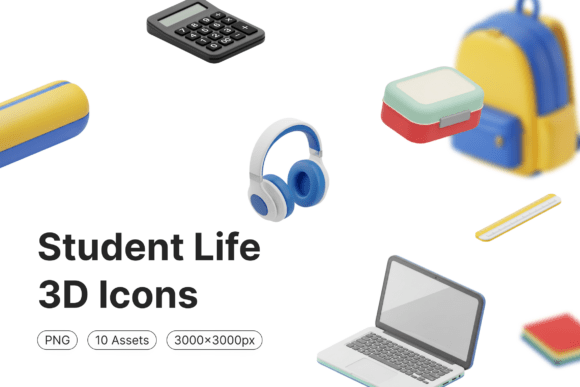
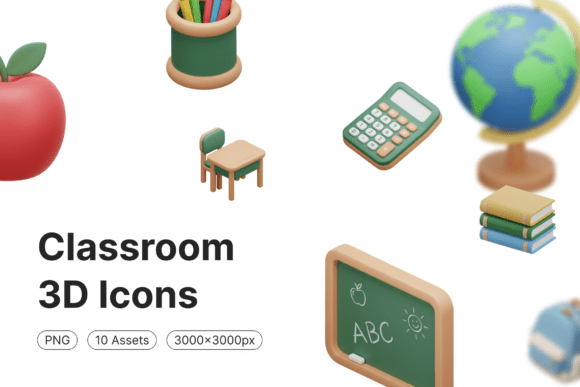
Visual learning is a powerful tool in education, and Icons Education and School provides a unique solution for educators, designers, and students looking to integrate visual elements into teaching materials, presentations, and digital resources. This collection of educational icons, available in multiple file formats such as EPS, PDF, SVG, and AI (Adobe Illustrator), offers a flexible and scalable way to enhance comprehension, engagement, and retention in learning environments.
Whether you're developing curriculum materials, designing classroom visuals, or creating digital content for online education, Icons Education and School offers a comprehensive library that supports a wide range of academic subjects and learning styles. These icons are not just decorative—they serve as visual cues that help learners process complex information more efficiently.
Challenges in Educational Design and Communication
Modern educators and instructional designers face several challenges when creating engaging and effective learning materials. These include:
- Information overload: Students often struggle to absorb large volumes of text-based content, especially in digital formats.
- Visual inconsistency: Mixing images from various sources can lead to a disjointed visual experience, which may distract or confuse learners.
- Time constraints: Teachers and course developers may not have the time or design expertise to create custom visuals.
- Adaptability: Materials need to be reusable across different platforms, from printed handouts to interactive digital lessons.
These challenges highlight the need for a reliable, high-quality visual resource that can be easily integrated into educational content. That’s where Icons Education and School comes in.
How Icons Education and School Addresses Educational Needs
Icons Education and School is a digital product designed to support educators, instructional designers, and content creators in overcoming the above challenges. With a wide array of icons representing subjects like mathematics, science, literature, technology, and more, this toolkit helps simplify complex ideas through visual representation.
Because the icons are available in vector formats like SVG and AI, they can be scaled without loss of quality, making them ideal for both print and digital use. Additionally, the instant digital download feature ensures that users can access and implement these visuals immediately, without waiting for physical delivery.
Practical Applications in Education and Design
The versatility of Icons Education and School makes it applicable across various educational settings and design projects. Here are a few practical uses:
- Curriculum Development: Incorporate icons into lesson plans, worksheets, and activity guides to help students visually categorize information.
- Presentations: Use icons in slideshows to break down complex concepts into digestible visual segments, improving audience engagement.
- Online Courses: E-learning platforms benefit from icons that guide users through modules, highlight key points, and improve navigation.
- Classroom Decor: Create visually stimulating environments with posters, charts, and infographics that support learning objectives.
- Student Projects: Encourage students to use icons in their own presentations or digital assignments to enhance clarity and professionalism.
Each of these applications benefits from the clarity and consistency that Icons Education and School provides. The ability to edit and customize the icons using Adobe Illustrator allows for tailored visuals that align precisely with the content being delivered.
Who Can Benefit from Icons Education and School?
Icons Education and School is a valuable resource for a wide range of professionals and learners:
- Teachers: From elementary to high school, educators can use icons to make lessons more engaging and accessible.
- Instructional Designers: Those creating online courses or training materials can enhance the visual appeal and effectiveness of their content.
- Graphic Designers: Professionals working on educational branding, apps, or websites can integrate high-quality icons into their projects.
- Students: Older students or those studying design can use the icons in their own school projects or portfolios.
Each user group may approach the icons differently—teachers might focus on simplicity and clarity for younger students, while designers may prioritize customization and scalability for professional use. Regardless of the application, the core benefit remains the same: improved visual communication that supports learning and understanding.
Choosing the Right Format for Your Needs
One of the key advantages of Icons Education and School is the variety of file formats included. Here’s a quick overview of when to use each format:
- PDF: Ideal for printing and viewing across devices while maintaining quality.
- SVG: Best for digital use on websites or apps where scalability is important.
- EPS: A vector format suitable for professional printing and graphic design work.
- AI (Adobe Illustrator): For advanced users who want to edit and customize the icons for specific design needs.
Since this is a digital product with unlimited print rights, users can confidently integrate these icons into both personal and commercial projects without worrying about licensing restrictions.
Getting the Most Out of Icons Education and School
To maximize the value of Icons Education and School, consider the following tips:
- Start with a clear objective: Determine the message or concept you want to communicate before selecting icons.
- Use consistent styling: Stick to the same color palette and visual theme to maintain a professional look.
- Combine with text: Icons should complement, not replace, written explanations to ensure clarity.
- Test for clarity: Show your materials to others to confirm that the icons effectively convey the intended meaning.
- Update and reuse: Since the files are digital, you can easily modify and repurpose them for future lessons or projects.
By integrating these best practices, educators and designers can ensure that their use of Icons Education and School is both effective and impactful.
Conclusion: A Powerful Tool for Modern Learning
In today’s fast-paced educational landscape, the ability to communicate clearly and effectively is more important than ever. Icons Education and School provides a powerful, accessible solution for enhancing learning through visual design. Whether you’re a teacher looking to make your lessons more engaging, a designer building an e-learning platform, or a student creating a presentation, this digital resource offers the tools you need to succeed.
With instant access, unlimited print rights, and compatibility across a range of design software, Icons Education and School is more than just a collection of images—it’s a practical, scalable solution for anyone committed to improving education through visual communication.